EDR v16126 release notes – coming October 29, 2026
Version information
| Endpoint Security Agent | Ransomware Agent | Rollback Agent | API |
|---|---|---|---|
|
3.17.1.6645 |
1.5.6.0 |
1.4.7.252 |
5.0.0 |
New features
Rapid Recovery for Ransomware Protection
You can now protect your endpoints against ransomware with Rapid Recovery, a new high-performance file recovery mode. It automatically escalates to full tracking the moment a suspicious precursor or remote attack is detected, capturing critical data for rollback even in fast-moving or remote SMB-based attacks while minimizing data loss and performance impact. The feature is available in the File Recovery section of the Ransomware Detection policy.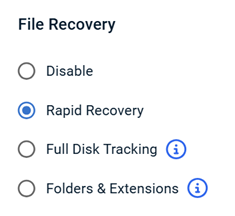
For details, refer to the Configuring Rapid Recovery article.
Override Alert mode and Severity on detection rules
You can now override the Alert mode and Severity of any Infocyte-authored detection rule without affecting the underlying rule definition. Tenant-level overrides are preserved when Infocyte pushes content updates, so your custom tuning stays intact. 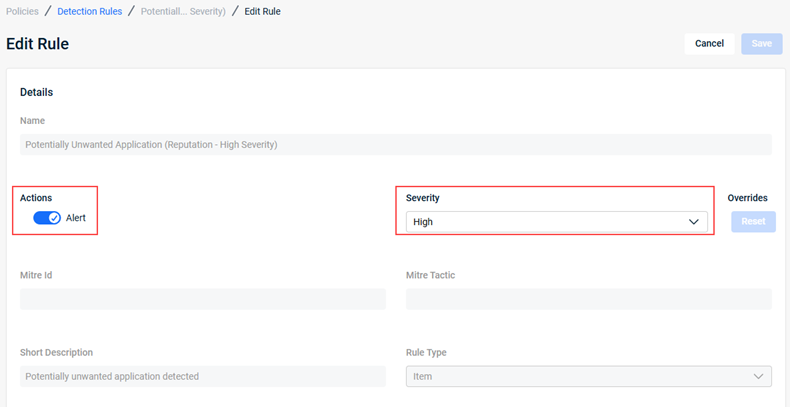
Refer to What are EDR detection rules?
Enhancements
Datto AV Scan History for External Analysts
External Analysts can now view Datto AV scan history for devices in their assigned organizations. This resolves an issue where the history appeared empty, allowing them to confirm previous scan times and verify that protection is active. See the "Datto AV Scan History" section in the article Navigating the Device details page.
Release Channel label in Admin sidebar
You can now see which release channel your tenant is on, such as GA or Canary. A new Release Channel label appears in the footer of the Admin sidebar, directly above the version number. This visibility ensures you have the necessary context for support and administrative tasks.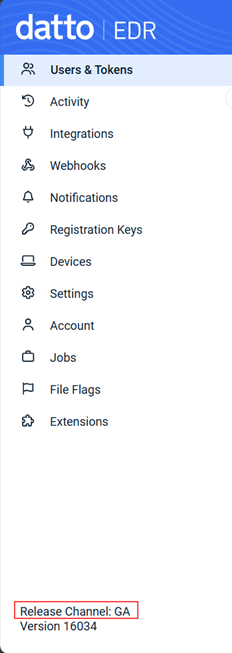
More reliable email notification delivery
Email notifications are more reliable with automatic retries and sequential delivery to multiple recipients. Per-recipient logging tracks successful deliveries, retries, and suppressions.
Detection rule import and export buttons restored
Detection rule import and export buttons are now visible on the Detection Rules page to all customers. Refer to What are EDR detection rules?
Whitespace-tolerant device search
Device name and hostname filters now automatically ignore leading and trailing spaces. A space followed by another character is still treated as part of your search, allowing precise filtering when needed.
Publication Status column for rules
You can now see which detection and alert suppression rules are active on your endpoints with a new Status column in both the Detection Rules and Alert Suppression tables. A rule is marked Unpublished if it is newly created or has been edited since the last publication, signaling when action is needed to deploy your changes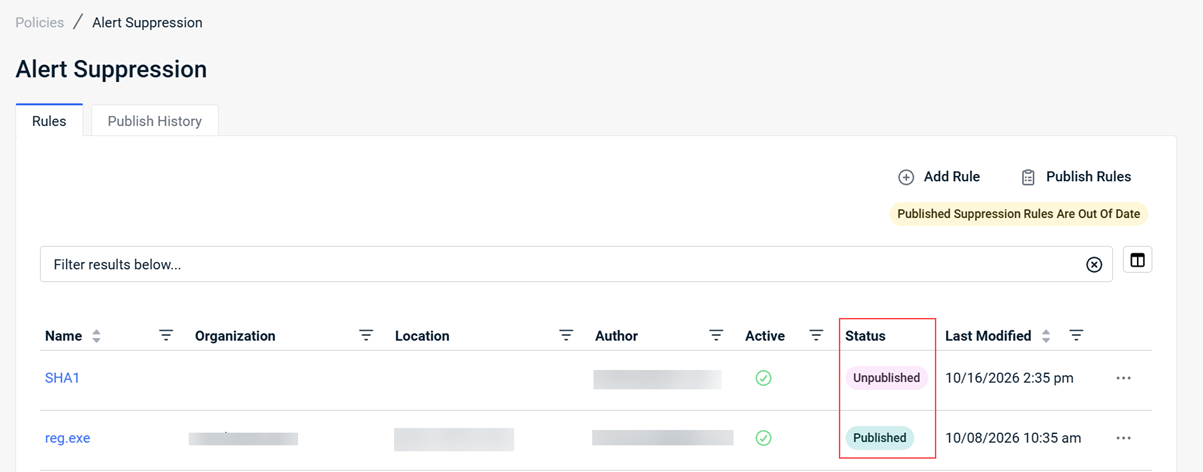
Refer to What are EDR detection rules? and Suppressing alerts
Modernized Locations table
The Locations table has been modernized with resizable columns for long location names, filtering across all columns, and customizable column selection.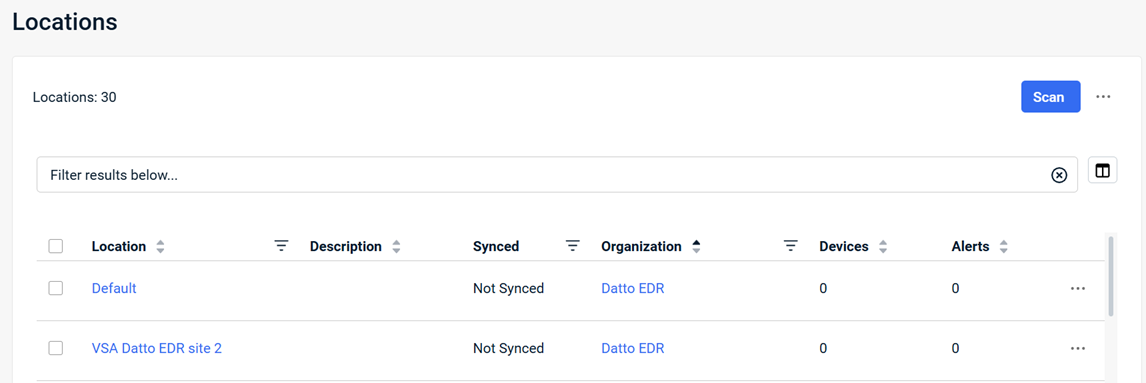
Refer to Leveraging the Organization details page.
Suppression Rule shown on Alert Details page
You can now see which suppression rule was applied to an alert. A new Suppression Rule field on the Threat Information card links authorized users directly to the rule editor, streamlining auditing and rule management. 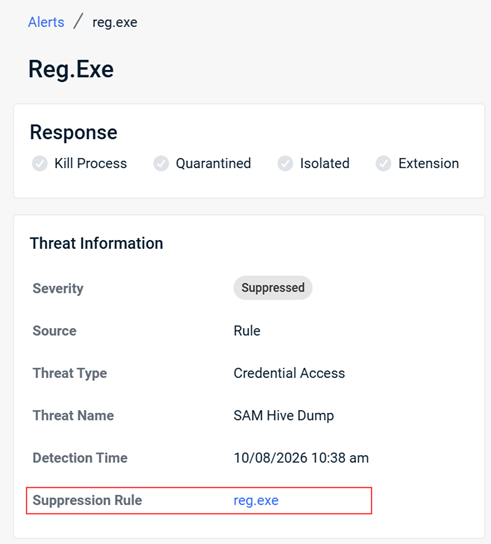
Refer to Understanding the Alert Detail page.
Multiple colons supported in Webhook URLs
You can now use webhook URLs containing multiple colons, as required by Google SecOps and other security integrations. URL validation has been replaced with a more flexible, standards-compliant approach. Refer to Creating Datto EDR webhooks.
Fixes
- Deleted policies (such as EDR or AV) are no longer recreated during tenant reloads or platform updates. A deleted policy stays deleted until manually recreated.
- Completed or failed response jobs (such as "Kill Process") are no longer incorrectly changed to "Job timed out" after several minutes, even when the action had already finished on the endpoint.
- Corrected the organization filter not being applied when navigating from the Organizations page to the Locations page via the location count hyperlink.
- Alert suppression rules based on location names can be created manually without validation errors. The platform previously required a location value even after one was selected.
- Resolved a Linux agent crash loop on hosts running Docker containers, triggered by processes running under user IDs not present in the host's system files, a common occurrence in containerized environments.
- Real-time protection scans can be disabled in Datto AV policies without the security profile incorrectly appearing as "Disabled," so a "Protect & Quarantine" profile can rely on scheduled scans alone.
- Resolved ransomware and correlation alerts occasionally missing the device IP address.
Artifacts
agent.linux-amd64.8a15484be0dd9bc406f413f9690619a42ee18ae9082aee893707392ec895505c.bin.gz
agent.linux-arm64.4f126927c9704ce626e695f56e296bb2c0170068a73e98a0bbea354c3cf1dcd6.bin.gz
agent.linux-x86.78346f73133c6554dd0f3db4c814480bf033911473e29dc63cee0370c68e7875.bin.gz
agent.macos-amd64.9b74f023beaa427536f8b363f34c3dd3886ad4e4e1578f12502c4f1fd9475319.bin.gz
agent.macos-arm64.748afb5d8e1668f80854d4af9c87bce790d1579e89b6a331c7db2d406b11a6e1.bin.gz
agent.windows-amd64.f3f3f440221754fef3054fe916999f9ac47ce60ffafabc68eab065b8df084db4.exe.gz
agent.windows-arm64.171f074683ad4867368b265b67fd5f61b6b59797c29a56429060edb6c4ca492a.exe.gz
agent.windows-x86.34d1da6e340c090324b1db1096736aac0be1e4906d2a17146012f41f4671694a.exe.gz


