EDR March 12, 2026 v13138 release notes
NOTE Datto EDR uses a staggered release process. You receive an in-product notification when updates are available for your instance. To confirm the UI version running on your Datto EDR instance and to view or modify your scheduled maintenance window, see How to confirm your UI version and maintenance window.
Version information
| Endpoint Security Agent | Ransomware Agent | Rollback Agent | API |
|---|---|---|---|
|
3.17.1.4720 |
1.5.2.3 |
1.4.4.225 |
5.0.0 |
New Features
Organization level uninstall protection
You can now manage uninstall protection at the organization level. Each organization has a unique uninstall token, and you can enable or disable uninstall protection per organization.
Administrators can:
• View uninstall token history.
• Generate new uninstall tokens.
• Enable or disable uninstall protection.
All uninstall protection settings are managed directly from the organization's page, providing more granular control and improved visibility into endpoint security. See Uninstall Protection in the article Leveraging the Organization details page.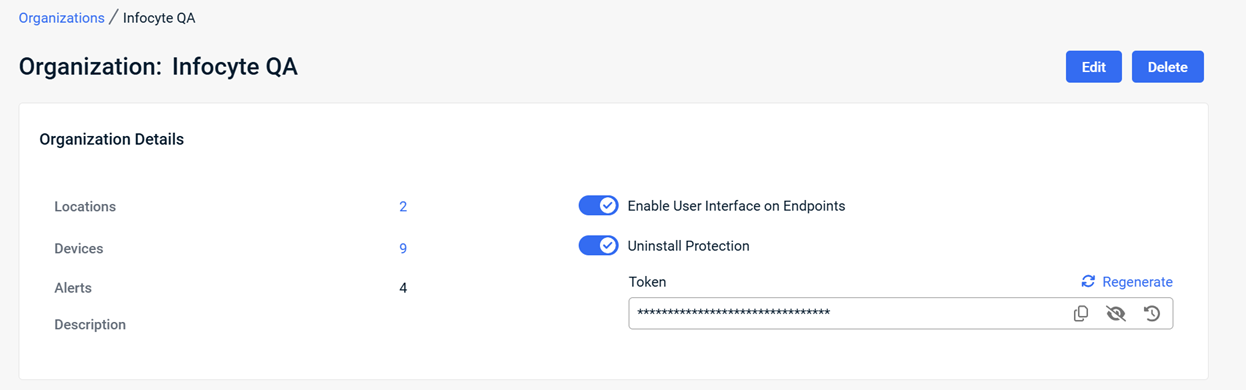
NOTE Uninstall Protection Settings must be enabled on the Admin > Settings page before the Uninstall Protection feature can be enabled for an organization. See Uninstall Protection Settings in the article Navigating the Admin page.
Enhancements
Improved type ahead filtering for organization and location
You can now filter devices by organization or location in the Devices table using an enhanced type ahead search. As you type, the list narrows automatically. Press Enter to apply the filter instantly.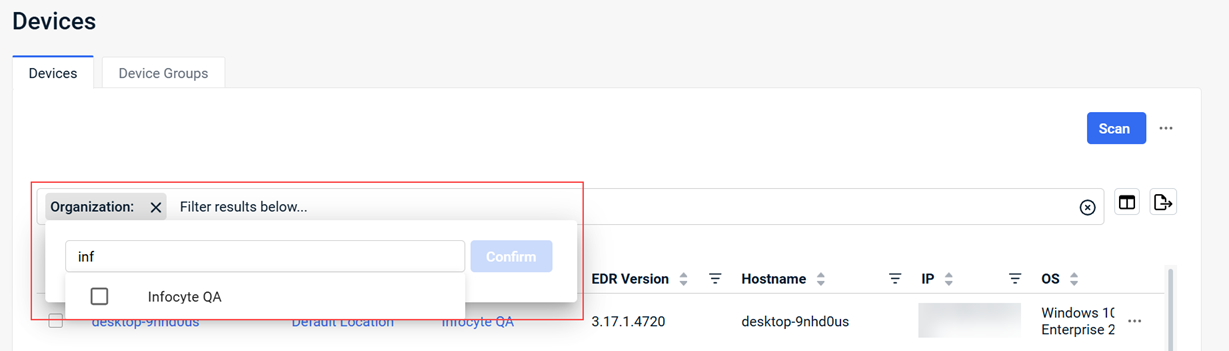
Hyperlinkable columns in the Alerts table
You can now navigate directly to related entity details from the Alerts table. The Hostname, Organization, and Location columns now link to the details page for the selected entity. This enhancement reduces investigation time by minimizing navigation steps.
Multi-value filtering in the Alerts table
You can now filter any column in the Alerts table using multiple comma separated values, allowing you to narrow results more precisely and focus on relevant alerts.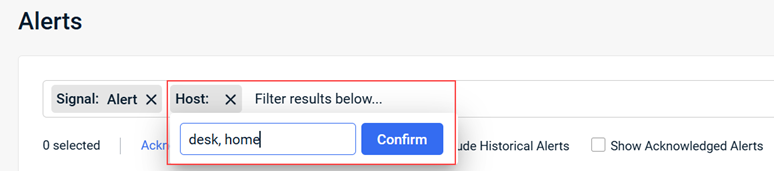
Improved readability for long Universal AV Exclusions
Previously, lengthy Universal AV Exclusion paths were truncated in the list view, making it difficult to view the full path without zooming out. Long Universal AV Exclusion paths are now easier to read at standard browser zoom levels.
• In the list view, long paths display with an ellipsis.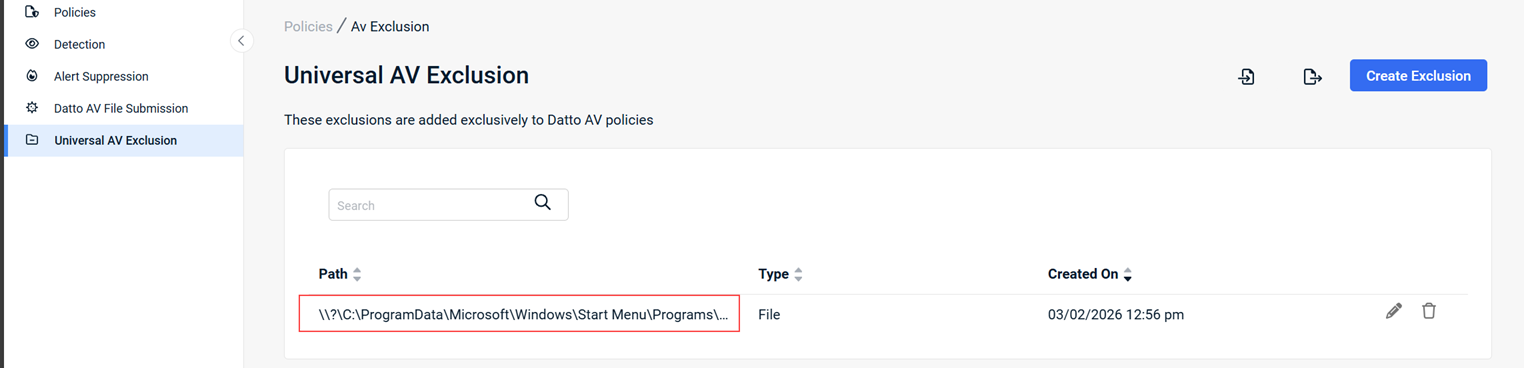
• In the edit modal, the full exclusion path is always visible.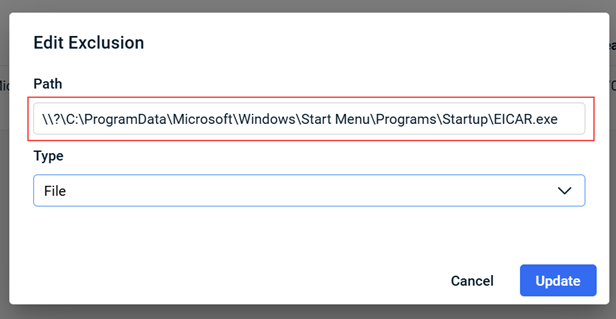
This improves usability while preserving clarity.
Edit Universal AV Exclusions
You can now edit existing Universal AV Exclusions directly from the policy table. This enhancement eliminates the need to delete and recreate exclusions, streamlining policy management.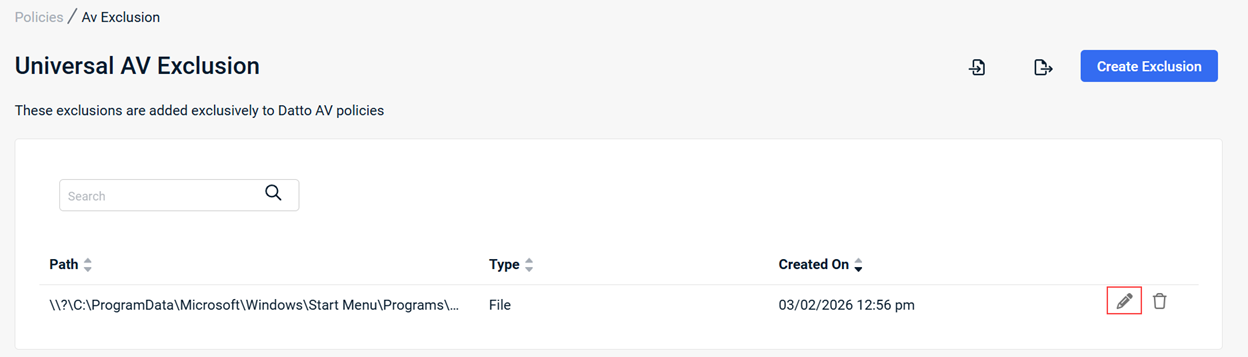
For more information, see Working with exclusions in your Datto AV policy
Import and export Datto AV exclusions as a CSV file
You can now bulk manage Datto AV exclusions using CSV files.
• Import and export Universal AV exclusions via CSV.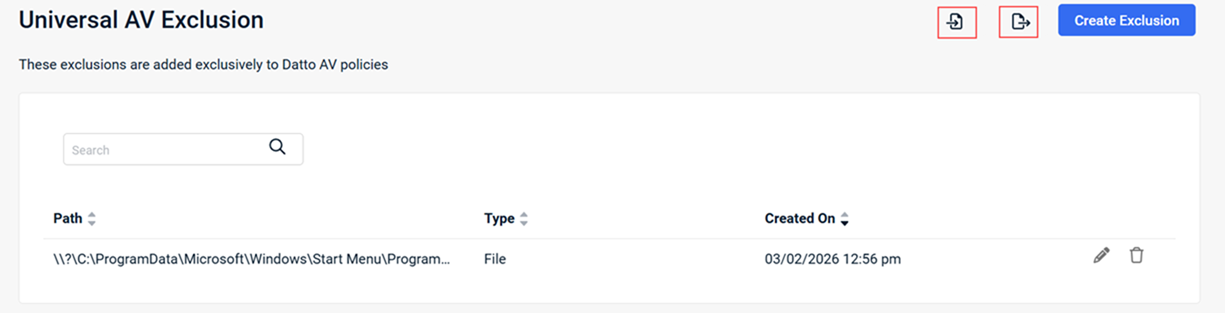
• Export exclusions from the Antivirus tab for individual AV policies for review or backup.
This enhancement reduces manual entry and simplifies onboarding and ongoing policy management.
For more information, see Working with exclusions in your Datto AV policy
Activity log filtering
The user Activity log (Admin > Activity) now includes filterable columns and a filter field. These improvements make it easier to locate specific actions by user, item, or action, and to audit activity more efficiently.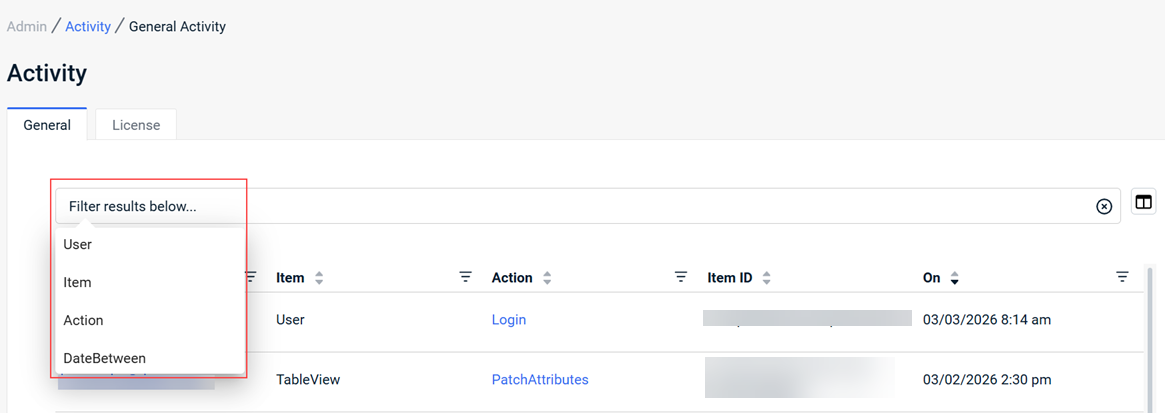
Updated product logo for accessibility
The Datto EDR product logo has been updated across the platform to improve accessibility. The new logo offers improved readability, including for users who rely on screen readers.
Fixes
- Resolved an issue where multiple quarantined file entries under Respond > Quarantined Files redirected to the same alert. Each quarantined file now links to its correct alert.
- Resolved an issue where Datto EDR agents did not execute selected scan extensions during ad-hoc or scheduled scans.
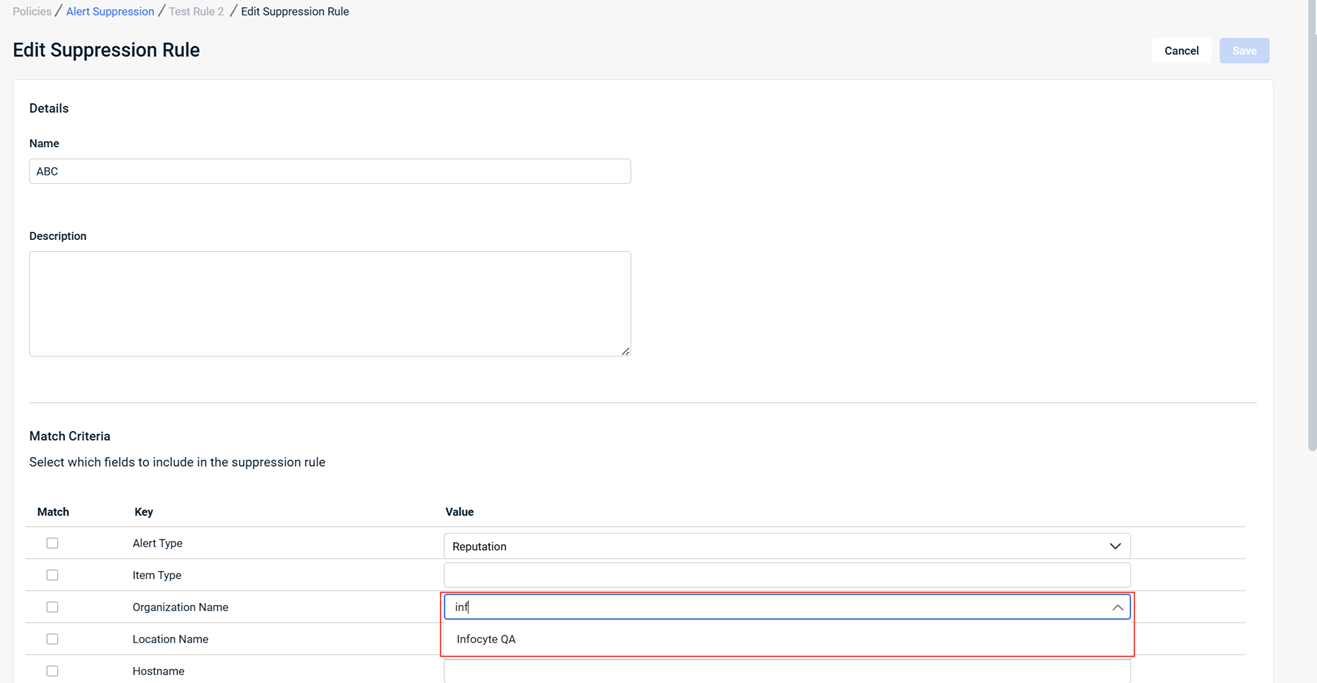
- Improved the Organization and Location drop-down lists in the Alert Suppression editor by adding type ahead filtering, making it easier to manage environments with large numbers of organizations or locations.
Artifacts
agent.linux-amd64.e650cea5dc89740718c7433324f2972157f56b245111478ea51cd67a779ab818.bin.gz
agent.linux-arm64.869d539c0b6d6032a131ed39464c7ee3eb820fc5d630a1c132a9a8835eda954a.bin.gz
agent.linux-x86.4df9ee4c337d59ade25aa76d7ea5c75b051954c65f66f1bc1d484cdcc840f4a5.bin.gz
agent.macos-amd64.8e5a295bc53b6b1388c5a03c2951ffc4f7a8e8a0398050b2000a95a5f58baaf8.bin.gz
agent.macos-arm64.0c58e1e4dd1910edec1e2a6ef4520caea64314a9eed54b5bbb6dfa57d7abc1ee.bin.gz
agent.windows-amd64.03b980020c8ca04236bf90a8990bdf4b67a7f51bb25fc6989ebb3eb7a536447a.exe.gz
agent.windows-x86.9cde44109d7e8f57531a895b99bb4e13a50cb0890ef6fd4c8f056d728db74c4d.exe.gz


