EDR August 7, 2025 v11646 release notes
NOTE Datto EDR uses a staggered release process. You receive an in-product notification when updates are available for your instance. To confirm the UI version running on your Datto EDR instance and to view or modify your scheduled maintenance window, see How to confirm your UI version and maintenance window.
Version information
| Endpoint Security Agent | Ransomware Agent | Rollback Agent | API |
|---|---|---|---|
|
3.17.1.3595 |
1.5.1 |
1.3.6.165 |
5.0.0 |
Enhancements
- We have enhanced agent check-in logging and implemented a repair routine that the agent will initiate to mitigate failed check-ins.
-
The agent host isolation mechanism will now cache the tenant's IP address as a fail-safe, ensuring that an isolated agent can still communicate with the tenant.
-
To install Datto AV, a device must have the Microsoft Identity Verification Root Certificate Authority 2020 installed and enabled. If this certificate is missing, Datto AV will now display a detailed error message corresponding to install Exit Code 10440001, indicating that the certificate is required for code-signing validation on the endpoint.
-
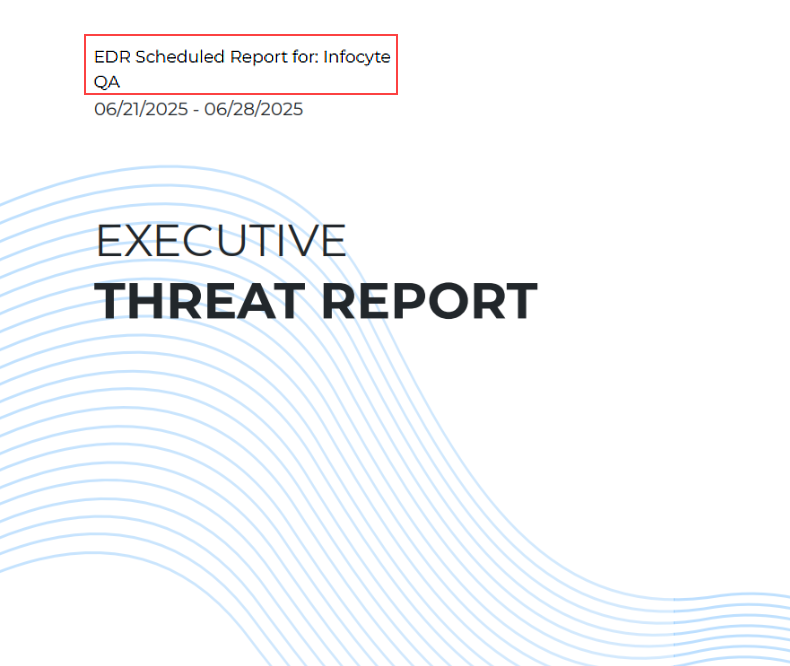
The Executive Threat Report will now display a tenant's account name, rather than the tenant's name, when run against all data sources.
-
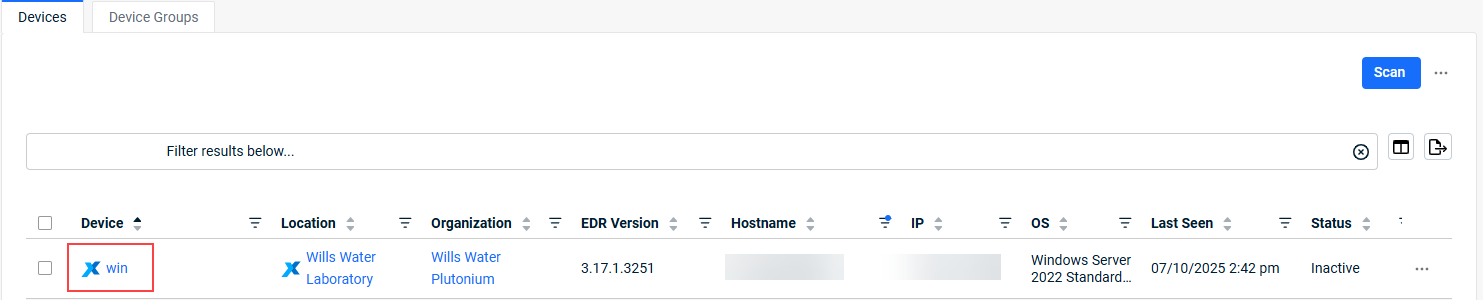
Devices synced with VSA X can now update their agent’s friendly name, which appears in the Device column.
-
Quarantined File items are now retained in the UI for up to six months.
-
We have updated our license assignment logic to avoid automatically assigning Datto AV licenses to unsupported device types.
Fixes
-
Certain users who had Receive Alert Email Notifications enabled on the Notifications page encountered an unexpected application error when navigating back to the Notifications page (Account > My Settings). This issue has now been resolved.
-
We have improved the Datto AV policy application logic to resolve an issue where AV exclusions were not being applied to scheduled scans. Exclusions are now correctly applied to both real-time protection scans and scheduled scans.
-
We have resolved an issue where some customers observed a discrepancy in which an endpoint was successfully isolated locally, but the host isolation task was marked as Failed in the UI.
-
We have resolved an issue where Datto AV failed to connect on certain Windows devices due to a character conversion error.
Artifacts
agent.linux-amd64.fb3ad532c389a3e7aa6f556c1aeaed5f60cd9d6e614b1d301006162227e33f1d.bin.gz
agent.linux-arm64.1d43362bb6fb90ebcc5244904a0262b9dccb2d05c89b78a87e31f8e58e8d8c1d.bin.gz
agent.linux-x86.709bcc57452fb0129c9af93633645f1a1e303cdefc7b60004ad247392715ceeb.bin.gz
agent.macos-amd64.dba0300aa1f148ffd4535f1607f94f8393c7255d5e0d44791fe8d83b604e844e.bin.gz
agent.macos-arm64.751426a8df0cd77c54e531474b38923dec338f62c2a2384714cc874441868368.bin.gz
agent.windows-amd64.ef12853456a7319bac52cc7b7da2ef7335d04e2e202ae733685f68c3ed15006d.exe.gz
agent.windows-x86.ec5b9e564465ea84e64ac504c31ca8c782ee164f2e891d0743ede3ac03e11bf4.exe.gz


