EDR April 2, 2026 v13309 release notes
NOTE Datto EDR leverages a staggered release process. You'll receive an in-product notification when these updates are available to your instance.
Version information
| Endpoint Security Agent | Ransomware Agent | Rollback Agent | API |
|---|---|---|---|
|
3.17.1.4869 |
1.5.2.3 |
1.4.4.225 |
5.0.0 |
New Features
AMSI integration
This release introduces Antimalware Scan Interface (AMSI) integration for the Windows EDR agent, expanding script telemetry and detection coverage. By leveraging AMSI, the agent can inspect and alert on script content executed through PowerShell and other supported scripting engines, providing enhanced protection against script-based threats.
The agent creates a dedicated amsi directory within the installation path. This directory contains the required detection components, including amsi.dll, keywords.enc, and damsi.sha.
To use AMSI functionality, EDR real‑time monitoring must be enabled.
Windows ARM64 support for Datto AV
You can now deploy Datto AV (DAV) on Windows ARM64 devices. This enhancement extends endpoint protection to ARM64 based systems, allowing you to secure a broader range of Windows endpoints.
Windows ARM64 support for Ransomware Detection and Rollback
You can now deploy Datto Ransomware Detection & Ransomware Rollback on Windows ARM64 devices. This update extends Ransomware Detection & Rollback support to Windows ARM64, enabling you to protect a broader range of endpoints in your environment.
Set agent's logging level from the Device details page
You can now enable verbose logging for an individual agent directly from the Device details page. When enabled, the agent operates at the Trace log level for seven days and then automatically reverts to the Informational level. This one click workflow simplifies troubleshooting for technicians.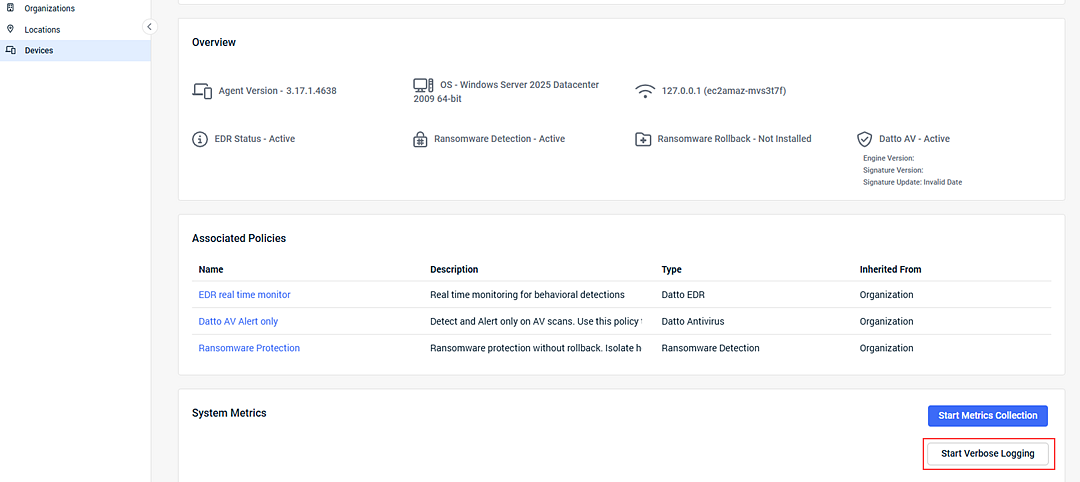
Enhancements
Improved AMSI alert details
Alert details for AMSI based detections have been enhanced to provide clearer and more actionable information. These improvements help you more quickly assess and respond to suspicious or malicious script activity.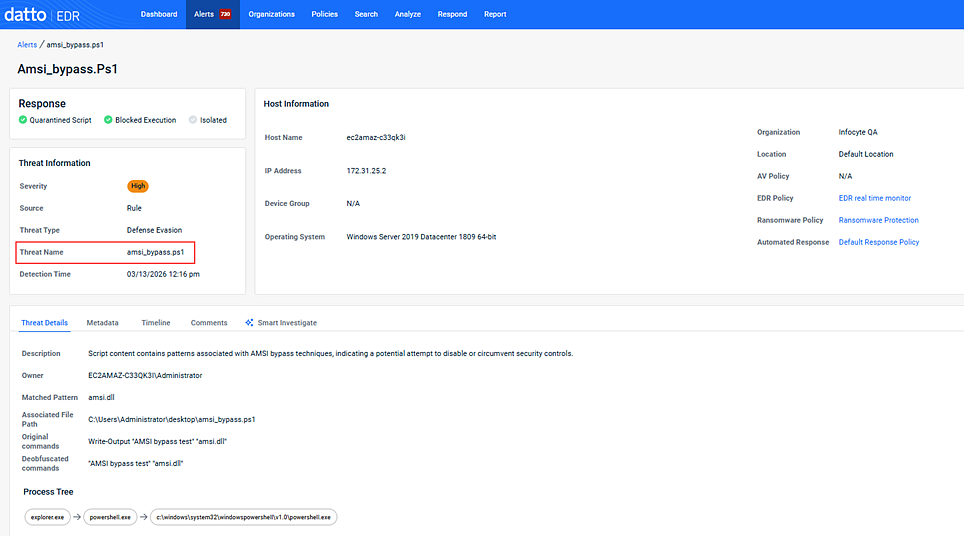
Improved scheduled report reliability
Scheduled report delivery has been improved, particularly during peak report generation periods.
Dark mode visibility improvements
Text visibility issues in dark mode on the Datto EDR dashboard have been resolved, ensuring all content remains readable regardless of theme preference.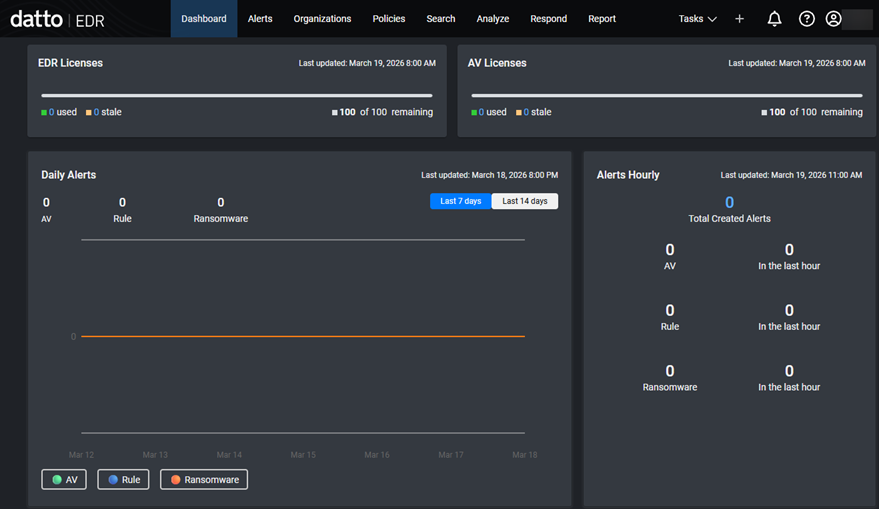
Alert details show device’s current policy assignments
The Host Information panel in alert details now always displays the device’s current policy assignments, ensuring accurate context and reducing confusion.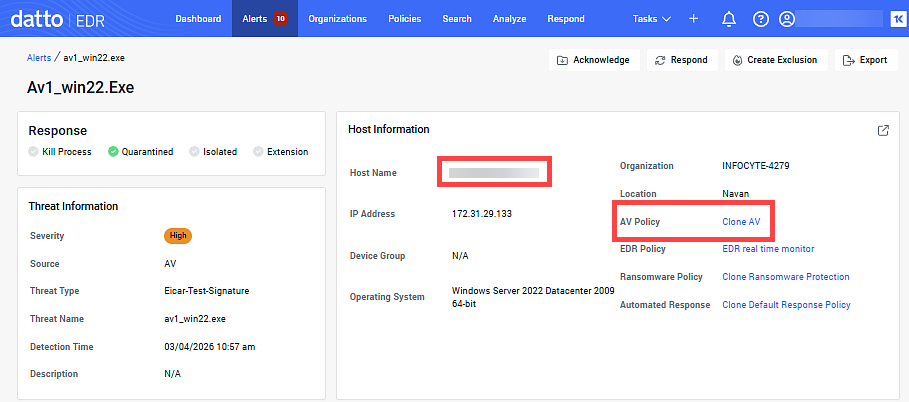
Suppressed alerts excluded from executive threat reports
Executive threat reports now exclude suppressed alerts from all report data, charts, and counts, ensuring reports reflect only actionable security events.
Organization scoped location filtering in reports
When generating reports, the Locations dropdown is now filtered to show only locations associated with the selected organization, simplifying report configuration.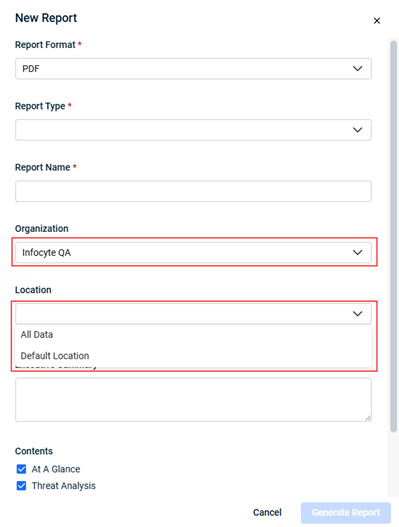
Installation prevented on unsupported operating systems and chipsets
Datto EDR now prevents installation of EDR, Ransomware Detection, Ransomware Rollback, and Datto AV services on unsupported operating systems and chipsets. Devices that do not meet compatibility requirements display a Not Compatible status, ensuring only supported services are deployed to the right endpoints. For more information, refer to Hardware and operating system requirements.
Logout option added to login error screens
A Logout option is now available on all login error screens, allowing users to exit failed or unauthorized sessions and re-authenticate with the correct credentials.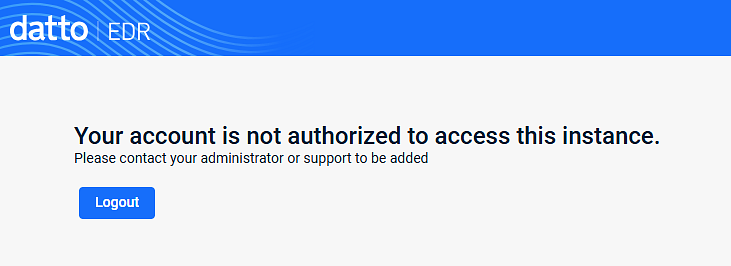
Configure maximum log file size in Datto AV policies
You can now configure the maximum log file size for Endpoint Protection SDK logs in Datto AV policies. This setting, available in the Logging section of the policy, supports values from 50 MB to 1 GB and helps retain diagnostic data for troubleshooting, especially during verbose logging.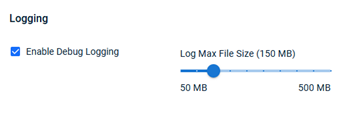
Ransomware Detection status reported in KaseyaOne
Ransomware Detection status is now accurately reported from Datto EDR to KaseyaOne. The KaseyaOne Organization Dashboard displays up to date counts of devices with Ransomware Detection enabled, improving visibility into deployment and compliance.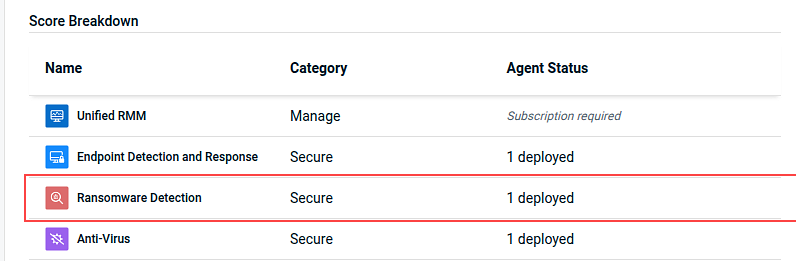
Fixes
- Resolved an issue where Source Engine, Severity, Hosts, and Alert Count details were missing from the Top 5 Alerts section of the executive threat report.
- Fixed an issue that prevented new users from accessing Datto EDR through KaseyaOne Automatic User Creation unless they were manually authorized. Automatic user creation through KaseyaOne now works as expected, streamlining onboarding and reducing administrative overhead.
- Resolved an issue where the Datto AV and DNS Secure sections of the executive threat report included data from devices outside the selected report target. This fix ensures that only devices from the chosen locations are included.
- Fixed an issue where default alert severity filters were not consistently applied on the Alerts page.
- Standardized table sorting and pagination behavior across Datto EDR. Sorting now applies to the full data set and is retained when navigating between pages, improving usability and reducing confusion when managing large lists of devices, alerts, or locations.
- Resolved an issue that prevented deletion of locations when device counts were out of sync. Locations with zero deployed agents can now be deleted as expected.
- When the desktop UI is disabled for your organization, the EDR agent will no longer display the system tray icon or allow access to Desktop UI components. This update ensures that end users do not see or interact with Desktop UI features when the setting is turned off.
- Addressed a issue in the KaseyaOne billing integration that resulted in failed billing syncs due to a missing field.
- Resolved an issue that prevented agent registration when device groups contained invalid or improperly formatted device type values.
Artifacts
agent.linux-amd64.7f04885708489069369c8c17806de3c153e5bdffb05a73155bd527a62ac4a801.bin.gz
agent.linux-arm64.1367196acaa971432f131f7289743047a7e9b9847bdb13ab622bc69327765669.bin.gz
agent.linux-x86.d7ca2eb4e2f007890475cc955b461370ce0d479dc72a4175873e5511f918f01c.bin.gz
agent.macos-amd64.f6933b441a3966c1ce3b6ac5ff3787df4f29ec2e13d1bf7292dd741accdc7640.bin.gz
agent.macos-arm64.b04d847963d157fbd179a9801b77011ff4a074a6ebacd1099d0844a54503d2d1.bin.gz
agent.windows-amd64.299dc4fbbe36c1c1ea223d6d76f0ce41476fb382a49734bbb2b1e5afed164b17.exe.gz
agent.windows-arm64.d05af7a9e70749f6861d57646d7308ea264089e726de9d9cca75922f9b010a22.exe.gz
agent.windows-x86.0cffad1f318c51fc167d8aa49cbca4a243bb980c22bb10ae28bb244b72101b73.exe.gz


